Broadcom (VMware)
VCF Operations Orchestrator: Why I Write Actions and Not Workflows (Mostly)

99% of my VCF Operations Orchestrator code is written as actions. This lets me write pure JavaScript that is easier to read and maintain. It also works with linters, unit testing frameworks and code analysers.
Why large workflows become difficult to maintain
Workflows provide a visual, drag-and-drop interface for automation with little code. They were originally intended to help system administrators and infrastructure teams automate vCenter Server tasks without needing a traditional development background.
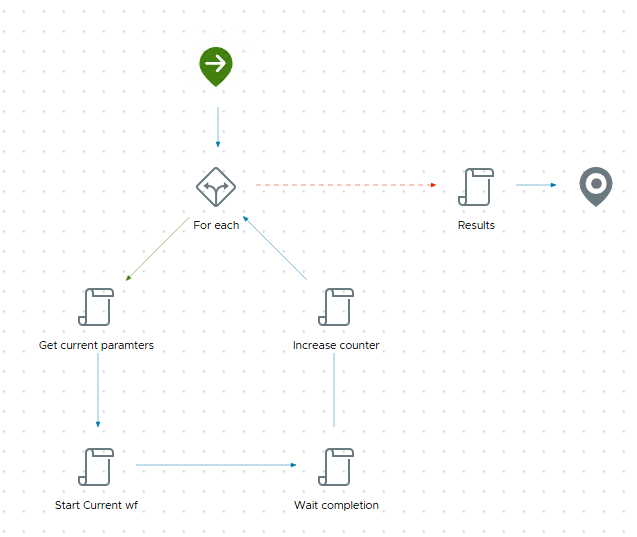
This simple workflow contains small script tasks, a for each loop and error handling, shown by the red line:
Orchestrator's role has changed since its first release in 2009. A platform for simple scripts and automation flows now needs to support complex solutions that integrate dozens of systems.
Developers still build these solutions with the traditional workflow model. In my view, that approach no longer fits: large, complex workflows are difficult to understand, maintain and troubleshoot.
This larger workflow runs a script on a virtual machine:
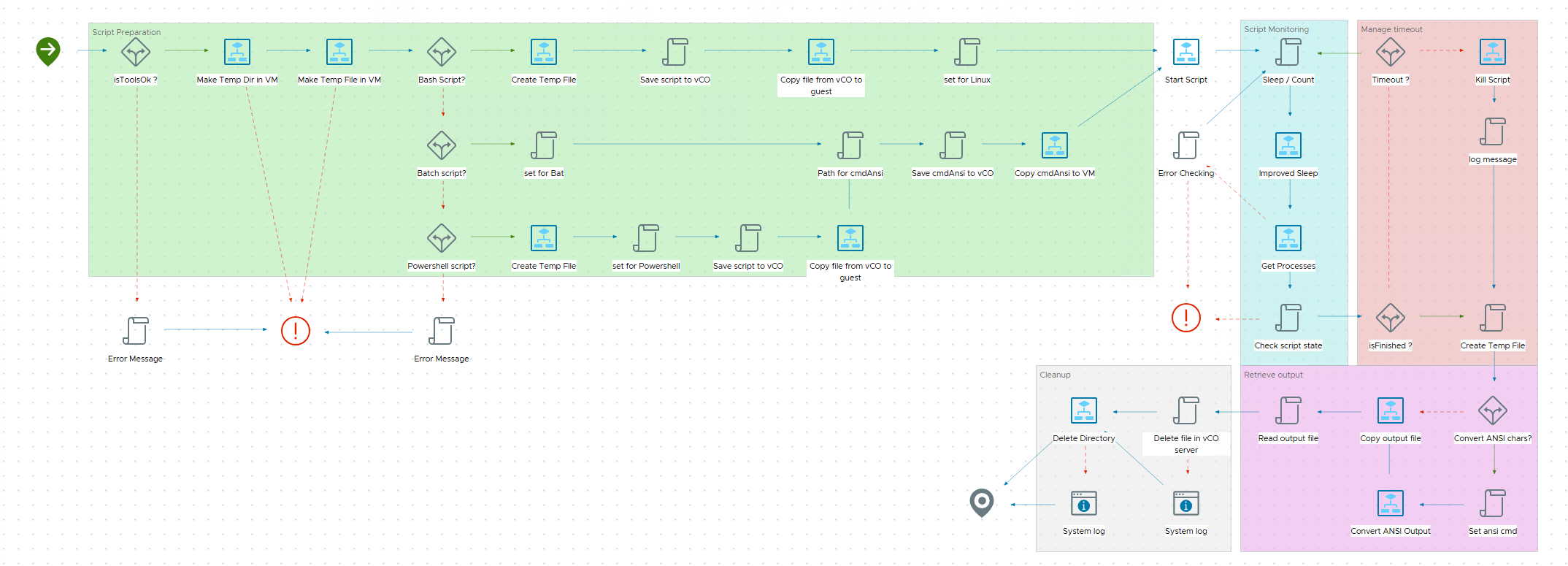
This is a relatively tidy example compared with others I have seen. Even so, changing a large workflow can mean spending more time rearranging the visual layout than developing the solution.
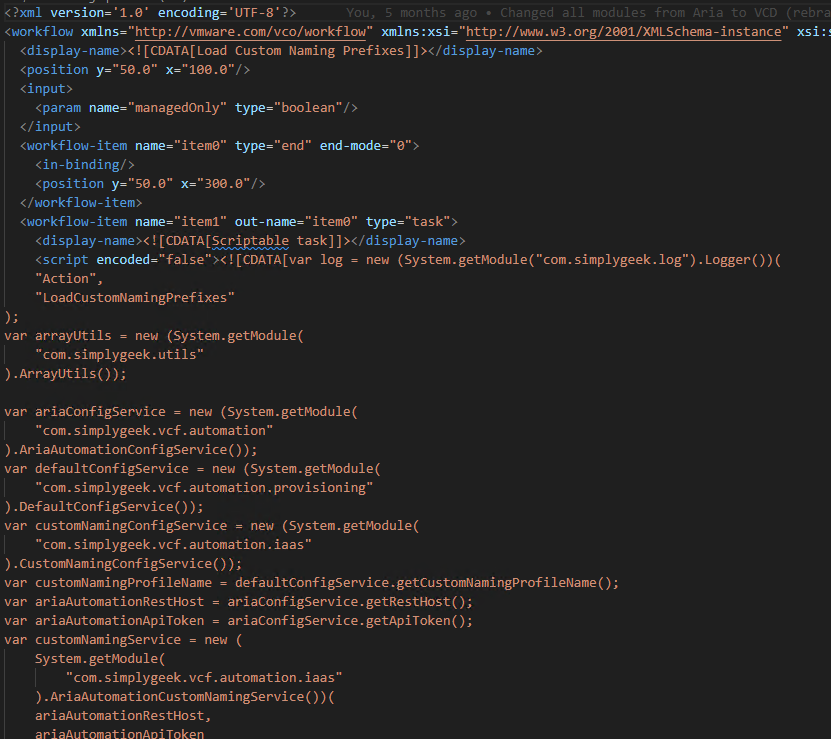
Workflows also store their content primarily as XML. In Git, you work with those raw files, which makes development outside the visual editor cumbersome. Large XML diffs are difficult to read and assess during peer review.
A workflow's XML can contain hundreds or thousands of lines. Here is an example:
For these reasons, I do not consider the traditional workflow model suitable for increasingly complex automation.
Move the logic into actions
My approach is to write actions. Modular JavaScript is easier to maintain and test, and integrates with modern development tools.
Workflows remain necessary in some cases. VCF Automation Extensibility Subscriptions, for example, require a workflow entry point. Moving most of the logic into reusable actions reduces the workflow's role.
I place a single action on the workflow palette. That action becomes the entry point for the logic, calling other actions and services. The visual workflow stays small and maintainable.
All my workflows follow this pattern:
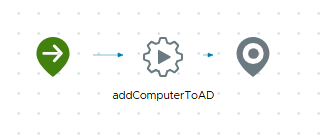
The corresponding XML is:
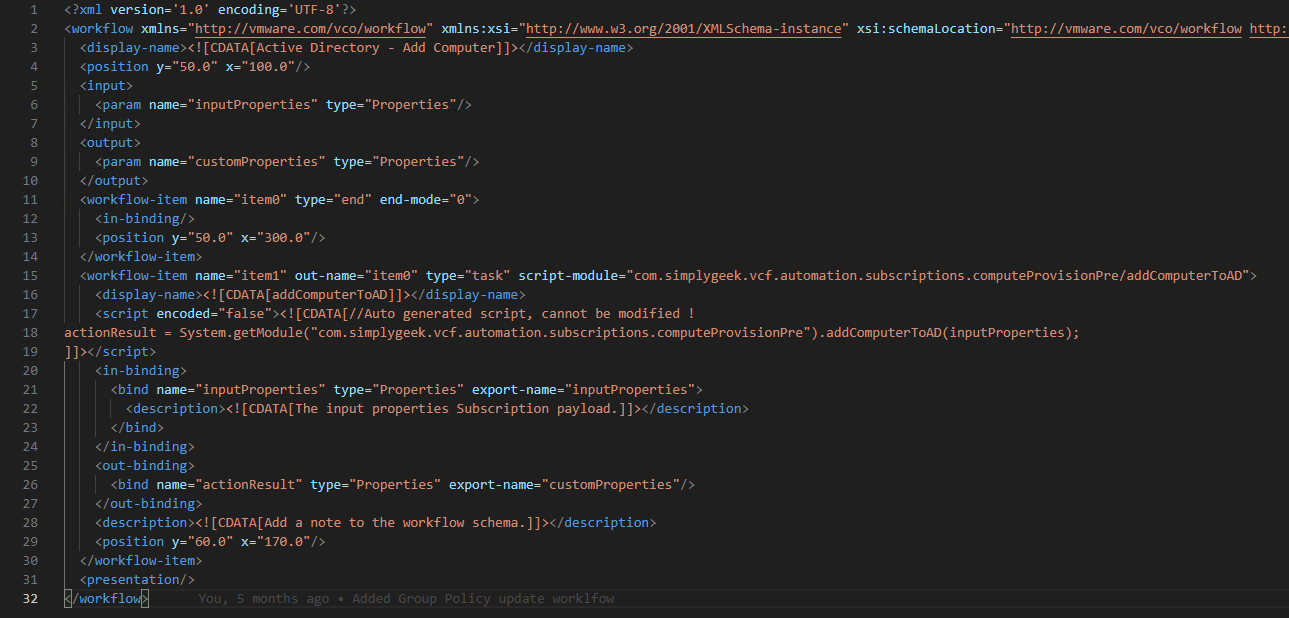
This structure stays largely unchanged and can be templated. Usually, only the input parameters, output parameters and referenced action need to change.
Use development tools with actions
Actions also work with a broader development toolset. Build Tools for VMware Aria makes them easier to develop and maintain. It supports unit testing, linting, static analysis and integration with your preferred IDE.
If you develop with Orchestrator, I would like to hear how you have modernised your development practices.
Let’s share ideas and learn from each other’s experiences!
Related articles

How I Write Beautiful Code in VCF Operations Orchestrator using ESLint and Prettier
Configure ESLint and Prettier for Orchestrator JavaScript development, including command-line checks, VS Code formatting and performance tuning.

VCF Automation – Native Git Integration vs Alternatives
Compare native Git integration, APIs, Terraform and Build Tools for managing VCF Automation infrastructure and content.

VCF Automation – Build Tools for VMware Aria – Useful Maven Command Reference
A Maven command reference for Build Tools for VMware Aria: create projects, push and pull content, and clean up Orchestrator packages.
Archived comments (4)
Comments from the original blog, preserved for reference.
Join the discussion
Sign in with GitHub to leave a comment. View discussions on GitHub.
I always love this approach. You can use vRODoc for JSDoc self-annotated actions as HTML. Thats would be very cool
Thanks Mayank. I am actually working on my own documentation feature (about 90% complete) and will share a post on this soon.
This is also the core part of how VMware team deliver solutions using vRBT to our customers !
Thanks for sharing Divyesh